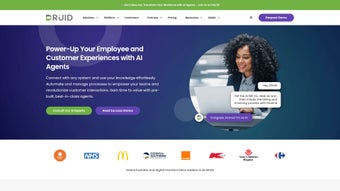

Download DruidAI – Advanced Conversational AI Platform for Business Automation
Overview and Core Capabilities of DruidAI
DruidAI is a cloud‑native, web‑based AI Assistant Development Platform that enables organisations of any size to design, launch, and manage sophisticated conversational agents without writing a single line of code. The platform combines state‑of‑the‑art dialogue management with integrated Robotic Process Automation (RPA), allowing virtual assistants to not only understand natural language but also trigger backend workflows, query ERP systems, and complete transactions in real time. Whether you run a contact centre, an HR department, a sales operation, a banking institution, or a healthcare provider, DruidAI delivers a flexible toolkit that adapts to industry‑specific requirements while maintaining a strong focus on security, analytics, and multimodal interaction (text, voice, and rich media). Its partner ecosystem extends functionality through pre‑built connectors, enabling seamless integration with popular CRMs, ticketing systems, and legacy applications. In short, DruidAI offers a secure, scalable, and future‑proof environment for organisations looking to harness conversational AI to streamline operations, improve customer experience, and reduce operational costs.
Key Features that Set DruidAI Apart
- Visual Bot Builder: Drag‑and‑drop interface for creating conversation flows, intents, and entities without coding, complete with real‑time preview and version control.
- Integrated RPA Engine: Automate repetitive tasks such as data entry, report generation, and ticket routing directly from the chat interface, with a library of reusable workflow blocks.
- Multimodal Experience: Supports text, voice (WebRTC), and rich media (images, videos, cards) across web, mobile, and IVR channels, ensuring a consistent brand voice everywhere.
- Advanced Dialogue Management: Context‑aware handling, slot‑filling, fallback strategies, and reinforcement‑learning models that improve over time.
- Analytics Dashboard: Real‑time KPI tracking, sentiment analysis, conversation heatmaps, and automated insight reports for continuous optimisation.
- Enterprise‑grade Security: End‑to‑end encryption, role‑based access control, audit logs, and compliance with GDPR, HIPAA, ISO‑27001, and SOC 2 Type II.
- Seamless System Integration: Pre‑built connectors for Salesforce, ServiceNow, SAP, Microsoft Dynamics, HubSpot, and custom REST APIs, plus a marketplace of third‑party modules.
- Scalable Cloud Hosting: Auto‑scaling infrastructure that maintains performance during peak loads without manual intervention.
- Continuous Updates: Monthly feature releases and automatic security patches keep the platform current and protected.
Getting Started, Compatibility, and Best Practices
Simple Cloud Deployment – No Traditional Installation Required
Because DruidAI is delivered as a SaaS solution, there is no traditional “install” step on the user’s hardware. After registering an account on the official website, you receive a secure tenant URL (e.g., yourcompany.druidai.com) and a set of API credentials. The onboarding wizard guides you through five essential stages:
- Create a Workspace: Define the business unit, primary language, and target channel (web chat, WhatsApp, Microsoft Teams, etc.).
- Configure Authentication: Link your corporate identity provider (Azure AD, Okta, LDAP, or SSO) to enforce single sign‑on and secure access.
- Design the Bot: Use the visual builder to map intents, utterances, response templates, and fallback logic, then test each flow in the sandbox.
- Integrate RPA Tasks: Drag an RPA block onto any node, select a pre‑built connector or create a custom script, and map input/output parameters to the conversation context.
- Test & Publish: Run simulated conversations with real users, adjust confidence thresholds, and push the bot live with a single click.
Supported Operating Systems and Devices
The DruidAI web portal is fully compatible with modern browsers on Windows 10/11, macOS Monterey and later, Linux distributions (Ubuntu, Fedora, Red Hat), as well as mobile browsers on Android 9+ and iOS 13+. Because the platform is cloud‑native, end‑users interact with the virtual assistants via any device that can render HTML5, WebRTC (for voice), or standard messaging APIs. For organisations that prefer an on‑premise deployment, DruidAI offers a Docker‑based package that can be installed on private Kubernetes clusters, supporting Windows Server, Red Hat Enterprise Linux, and Ubuntu Server.
Best Practices for Ongoing Use and Maintenance
- Leverage the built‑in analytics to identify low‑confidence intents and retrain the language model on a weekly basis.
- Apply role‑based access controls to restrict RPA task editing to senior automation engineers while allowing business users to modify conversation text.
- Enable versioning on conversation flows so you can roll back to a known‑good state after major changes or accidental deletions.
- Schedule automatic backups of your tenant data to comply with disaster‑recovery policies and corporate governance.
- Utilise the partner marketplace to adopt industry‑specific templates that reduce development time and ensure best‑practice compliance.
- Monitor the monthly release notes; most updates are applied automatically, but major feature releases may require brief validation in a sandbox environment.
Pros, Cons, and Frequently Asked Questions
Pros
- Highly intuitive visual builder – no programming required for basic bots.
- Deep RPA integration eliminates manual hand‑offs and speeds up end‑to‑end processes.
- Robust security and compliance out‑of‑the‑box for regulated industries.
- Extensive analytics provide data‑driven insight for continuous improvement.
- Scalable SaaS architecture handles enterprise workloads with auto‑scaling.
- Rich marketplace of pre‑built connectors and industry templates.
Cons
- Pricing can be steep for small startups; no free tier beyond a limited trial.
- Advanced customisation may still require API knowledge or developer support.
- On‑premise deployment is optional and requires a separate licensing agreement.
- Learning curve for RPA workflow design for non‑technical users.
- Support response time varies by plan (standard vs. premium).
FAQ – Your Questions Answered
Is DruidAI suitable for small businesses?
Yes, but the entry‑level subscription starts at $199 / month, which may be a higher investment for very small teams. However, the rapid ROI from automation often justifies the cost.
Can I integrate DruidAI with my existing CRM?
Absolutely. DruidAI provides native connectors for Salesforce, HubSpot, Microsoft Dynamics, and also supports custom REST API integrations for any other CRM.
Does DruidAI support voice‑enabled assistants?
Yes. The platform includes WebRTC‑based voice handling, allowing you to publish phone‑line IVR bots or embed voice assistants on web pages.
What security certifications does DruidAI hold?
DruidAI complies with GDPR, HIPAA, ISO‑27001, and SOC 2 Type II. Data is encrypted at rest and in transit, and you can enable geo‑restriction for data residency.
How often are updates released?
The platform follows a monthly release cadence for new features and a continuous patch schedule for security fixes, all applied automatically to SaaS tenants.
Conclusion – Why Download DruidAI Today?
In an era where conversational experiences drive brand loyalty, DruidAI stands out as a comprehensive, secure, and highly extensible platform that bridges the gap between AI‑powered dialogue and process automation. Its visual builder accelerates development, while built‑in RPA capabilities ensure that conversations translate into concrete business actions—whether that’s creating a support ticket, updating a CRM record, or processing a loan application. The platform’s robust analytics, compliance certifications, and multi‑channel reach make it a future‑ready investment for any organisation looking to modernise customer interaction and internal workflows.
If you’re ready to cut down on repetitive manual work, improve response times, and deliver a seamless omnichannel experience, download DruidAI now and start your free 14‑day trial. Experience the power of a true AI assistant development ecosystem without the overhead of building infrastructure from scratch.



.png)



